Bookkeeping Software for Small Business: What You Actually Need
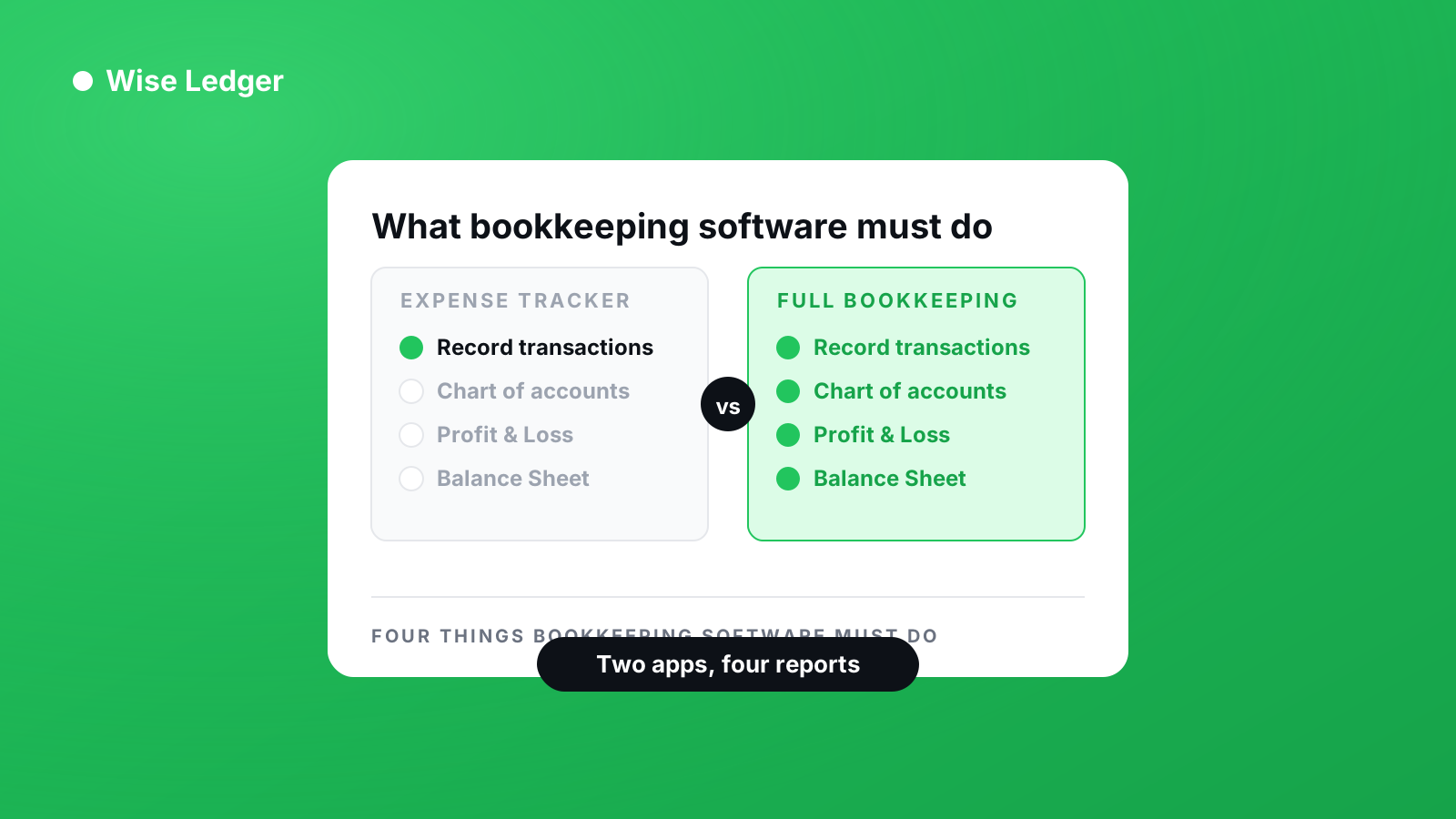
Every comparison article ranks the same six apps by price and invoice limits, and none of them ask the one question that actually decides it: does this thing produce real financial statements, or does it just show you where your money went?
In short: bookkeeping software for a small business has to do four things — record every transaction against a chart of accounts, track what you’re owed, produce a Profit & Loss statement, and produce a Balance Sheet. An expense tracker does the first one. Most accounting software does all four but expects you at a desktop for the reports. Before you pay for anything, check three things: can it produce real financial statements, can it do that on the device you actually use, and what does the free tier actually let you finish.
An expense tracker is not bookkeeping software
This is the distinction that decides everything else, and it’s worth getting right before you compare a single price.
An expense tracker — or an expense manager, or a spending app — answers one question: where did the money go? You log what you spent, it groups the spending into categories, and it shows you a chart. That’s genuinely useful. For a lot of sole traders it’s all they’ve ever had, and it beats a shoebox of receipts.
Bookkeeping software answers a different question: what is this business actually worth, and what is actually mine? To do that it has to know things an expense tracker never learns — that money arriving from a client is revenue rather than just an inflow, that an unpaid invoice is an asset you own, that a category of spending belongs above the gross-profit line rather than below it.
You can feel the difference on the day you need numbers for a tax return. An expense tracker gives you a list. Bookkeeping software gives you a Profit & Loss statement.
The four things it has to do
Ignore feature lists for a moment. Whatever you’re evaluating, it has to cover these or it isn’t bookkeeping software:
1. A chart of accounts. Every transaction gets assigned to an account, and those accounts have types — asset, liability, equity, income, expense. This is the part that sounds like bureaucracy and is actually the whole engine. Without account types there is no Balance Sheet, because nothing knows which side it belongs on.
2. Money owed to you. If you invoice clients, an invoice is a claim, not income. It becomes income when the client pays. Software that treats sending an invoice as earning the money will overstate your profit every single month, and you will find out at the worst possible time.
3. A Profit & Loss statement. Revenue, cost of sales, operating expenses, net profit. Structured the way an accountant expects to see it, because at some point one will.
4. A Balance Sheet. Assets, liabilities, equity — and the two sides have to agree. This is the report most small-business owners never look at and the one that tells them whether the business is actually solvent.
If a product can’t produce items 3 and 4, it’s an expense manager with good marketing.
Where the well-known names stop
The three names you’ll compare against are QuickBooks, Xero and Zoho Books. All three are serious accounting software. All three are built for a business that has, or expects to have, an accountant. That’s not a criticism — it’s who they’re for.
Two things are worth knowing before you assume the biggest name is the right one.
The mobile apps are companions, not the product. Xero’s own Play Store listing says it plainly: their app handles quotes, invoices, bills, expenses and bank reconciliation, and then adds — log in at xero.com to unlock reporting, connected apps and additional features. The reports are on the web. The phone is for capture.
That matters if you’re a one-person business who does the books in the twenty minutes between jobs, on a phone, because that’s the only twenty minutes there is. If your bookkeeping software’s reports live on a desktop you don’t sit at, you will not run them.
Free usually means trial. Zoho Books offers both free and paid plans. Others don’t — a free trial ends, and then the software stops. Simple Accounting Bookkeeping, another app in the same category, is explicit about it: free to try for 30 days, then a subscription for unlimited transactions.
Neither of those is dishonest. But “free” on an app store listing can mean a permanent tier with limits, or a countdown, and the two are very different if you’re deciding whether to commit your records to something.
The three questions worth asking
Can it produce real financial statements? Not a spending chart. A Profit & Loss, and a Balance Sheet where assets equal liabilities plus equity. If the answer is no, you’re looking at an expense tracker.
Can it do that where you actually work? If you run your business from a phone, reports that require a desktop login are reports you won’t run. Check this specifically — several products that call themselves mobile accounting software mean mobile capture and desktop reporting.
What can you finish on the free tier? Not what you can start. Trials are designed to end at the moment your data is stuck inside them. A permanent free tier with honest limits tells you more about a company than a generous trial does.
Where Wise Ledger fits
Wise Ledger is a business expense tracker and bookkeeping app built to be complete on a phone. It’s cash-basis, which means revenue is recognised when the money actually arrives — an invoice you’ve sent is tracked as a claim until it’s paid, not counted as profit you don’t have yet.
It has a chart of accounts with five account types and sub-accounts, invoicing with payment recording and per-customer outstanding balances, receipt scanning, a budget planner with alerts, and financial reports built to international accounting standards. The reports run on the phone, not on a desktop you have to go and find.
Being specific about the free tier, because vagueness here is the thing this article is complaining about:
Free, permanently: 30 transactions and 3 invoices per calendar month, both resetting on the 1st. Profit & Loss, Income Summary and Expense Summary on screen. Accounts receivable and received payments. Category budgets with alerts at 80%. Unlimited accounts, companies, customers, items and categories.
Pro: exporting any report to PDF, Excel or CSV. Balance Sheet, Cash Flow Statement and Tax Estimate. Multi-currency, recurring transactions, receipt scanning and bank import. $5.99 a month or $45.99 a year, with a 14-day trial. Started on the web it doesn’t ask for a card; started through Google Play it takes your payment method up front and charges when the 14 days end unless you cancel.
The honest summary of that split: the free tier is enough to keep real books for a small volume of trade and see whether the software suits you. The monthly caps are the constraint, and exports are the thing most people upgrade for — because sooner or later somebody asks for the numbers as a file.
Choosing
If you have an accountant, employees and a growing set of integrations, the established platforms are built for exactly that and you should use one.
If you’re a freelancer or a small business doing your own books, the question isn’t which product has the most features. It’s which one will still be open on your phone in six months. Pick the one whose reports you’ll actually run, and check what its free tier lets you finish before you trust it with a year of records.
See what you've really made — and what you're still owed.